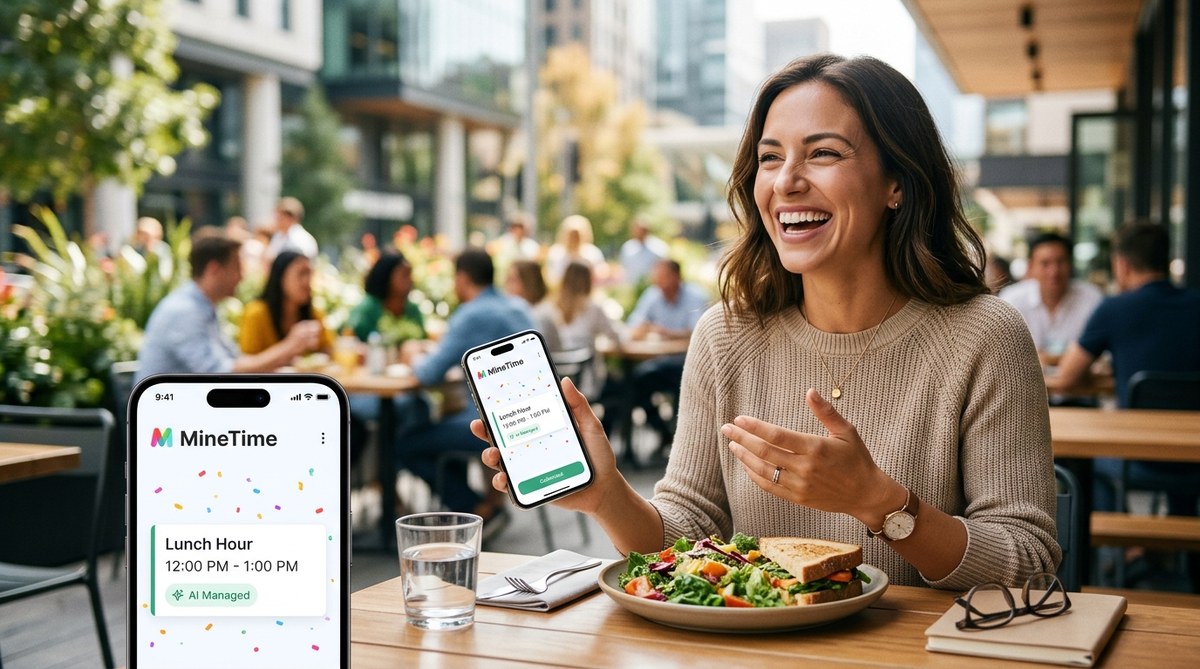
Your lunch hour is vanishing. One minute you are looking forward to a sandwich away from your desk. The next, a meeting invite lands at 12:15, and your afternoon is booked solid before you have even finished your coffee. According to recent surveys, nearly three out of four knowledge workers say they would use an extra hour each day just to take a real lunch break. That hour is there. It is just being stolen by a calendar that has no respect for your need to step away. AI scheduling can give it back.
Reclaiming your lunch hour does not require a total overhaul of your work habits. AI scheduling tools can automatically block your midday break, deflect meeting requests, and reschedule tasks around your protected time. By setting a few rules and letting the software handle the rest, you can consistently enjoy 60 minutes of uninterrupted time away from work.
Why Your Lunch Break Disappears
Your calendar is a battlefield. Every morning, you have good intentions. You will eat lunch at noon. You will step outside. You will not check email. Then the requests roll in. A colleague wants to sync up. A client needs a call. A project deadline shifts, and suddenly your afternoon is a mess of back-to-back obligations.
The problem is not your willpower. The problem is that most calendar tools treat every slot as equally available. They do not understand that 12:00 PM to 1:00 PM is sacred. They do not know that you need that time to recharge. AI scheduling changes this by learning your preferences and defending your boundaries automatically.
How AI Scheduling Protects Your Midday
AI scheduling tools like Reclaim.ai, Motion, and Clockwise work by analyzing your calendar, your tasks, and your stated priorities. You tell the tool one thing: protect my lunch break. The software then does the heavy lifting.
Here is what happens behind the scenes:
- The AI scans your calendar every morning for any new meetings or tasks.
- It identifies your preferred lunch window, say 12:00 PM to 1:00 PM.
- If a meeting request lands inside that window, the AI either declines it, reschedules it, or suggests an alternative time.
- Tasks that might spill into your lunch hour are automatically moved to another slot.
The result is a calendar that respects your boundaries without you having to micromanage it.
Three Steps to Reclaim Your Lunch Hour Today
You do not need a complex setup. Follow these three steps to start protecting your midday break within the next hour.
-
Pick a tool and connect your calendar. Choose an AI scheduling app that integrates with Google Calendar or Outlook. Most offer a free tier. Give the tool permission to read and write to your calendar. This is the only technical step, and it takes about two minutes.
-
Set your protected lunch window. Inside the tool, create a recurring block for lunch. Label it something honest, like “Lunch Break” or “Midday Reset.” Set the duration to 60 minutes. The AI will treat this block as non-negotiable.
-
Define your deflection rules. Tell the AI what to do with conflicting events. You can choose options like “automatically decline,” “suggest a different time,” or “ask me first.” Most people set it to auto-decline for meetings and auto-reschedule for tasks.
Once these rules are in place, the tool runs daily. You do not have to think about it again.
Common Mistakes and How to Avoid Them
Even with AI help, people sometimes sabotage their own lunch break. Here are the most frequent errors and the fixes that work.
| Mistake | Why It Happens | The Fix |
|---|---|---|
| Setting a lunch block that is too small | You think 30 minutes is enough | Use 60 minutes. Your brain needs a full reset, not a snack dash. |
| Allowing “urgent” exceptions | You feel guilty saying no | Define urgent as life-threatening. Everything else can wait. |
| Forgetting to sync devices | Your phone calendar is different from your laptop | Use one calendar system for everything. |
| Not telling your team | People think you are ignoring them | Send a short message: “I am protecting my lunch break from now on. Let me know if you need a different time.” |
| Treating lunch as a work meeting | You eat at your desk while on a call | Leave your workspace. Eat away from your screen. |
What to Do with Your Reclaimed Hour
Once you have the time back, do not waste it. The point of reclaiming your lunch hour is not to squeeze in more work. It is to reset your energy for the afternoon.
Try these approaches:
- Take a walk outside without your phone.
- Eat a meal away from your desk, preferably with someone you like.
- Read something unrelated to your job for 20 minutes.
- Sit in silence. Let your brain wander.
“The most productive people I know are the ones who guard their recovery time fiercely. Your lunch hour is not a luxury. It is the fuel for your entire afternoon.” – Dr. Christine Li, workplace psychologist
The AI Tools That Make This Easy
Several tools in 2026 are designed specifically for this use case. Reclaim.ai is a strong option because it focuses on habit scheduling and buffer time. Motion offers full task-to-calendar automation, which is useful if you want the AI to move tasks around your lunch block automatically. Clockwise works well for teams because it coordinates across multiple calendars to find meeting times that do not conflict with anyone’s protected hours.
Each tool has a free trial. Test one for a week. You will notice the difference by day three.
A Sample Morning with AI Scheduling
Here is how a typical morning looks when your lunch break is protected by AI.
At 8:30 AM, you open your calendar. The AI has already scanned your day. At 9:00 AM, a meeting request from a coworker lands at 12:15 PM. The AI immediately responds with a polite decline and suggests 2:00 PM instead. At 11:00 AM, a task reminder pops up for a report that is due. The AI notices the task would take 45 minutes and schedules it for 1:00 PM, right after your lunch block ends.
You do nothing. You just eat your lunch at noon without interruption.
Why This Works Better Than Willpower
Trying to protect your lunch break manually is exhausting. You have to say no repeatedly. You have to reschedule meetings. You have to explain yourself every time. That mental load drains energy you could use for actual work.
AI scheduling removes the friction. The tool becomes the gatekeeper. Your colleagues see a polite decline message instead of you having to type one. Your tasks get shuffled without you having to drag and drop. The system handles the negotiation so you do not have to.
This approach aligns with research on decision fatigue. Every small decision you make during the day wears down your ability to make good choices later. By automating the decision about your lunch break, you preserve your mental energy for the things that matter.
The Long-Term Benefits of a Protected Lunch
Consistently taking a full lunch break does more than improve your afternoon mood. It reduces burnout, improves digestion, and strengthens your social connections at work. People who take a real lunch break report higher job satisfaction and lower stress levels.
Over time, your colleagues will adjust. They will learn that your lunch hour is off limits. They will stop asking. Your calendar will become a more accurate reflection of your availability, and your afternoons will feel less frantic.
Your Lunch Hour Belongs to You
AI scheduling is not about being rigid. It is about being intentional. You are deciding that your well-being matters enough to protect one hour of your day. That is a small ask with a huge return.
Start today. Pick a tool, set your block, and let the AI do the rest. In a week, you will wonder how you ever managed without it.
For more on building a system that works, check out our guide on how to automate your calendar with AI and save 5 hours weekly in 2026. If you want to understand why most time management systems fail, read why most time management systems fail and how AI fixes them. For a deeper look at specific tools, see top AI tools to boost your daily productivity in 2026.
Make It a Habit by Next Week
The hardest part is the first day. After that, the routine takes over. Set a reminder for next Monday to check your lunch block is still protected. Adjust the rules if needed. Then let the AI run on autopilot.
Your lunch hour is not a reward for finishing work. It is a requirement for doing good work in the afternoon. Protect it. Use it. Enjoy it. You have earned that break, and now you have the technology to keep it safe.