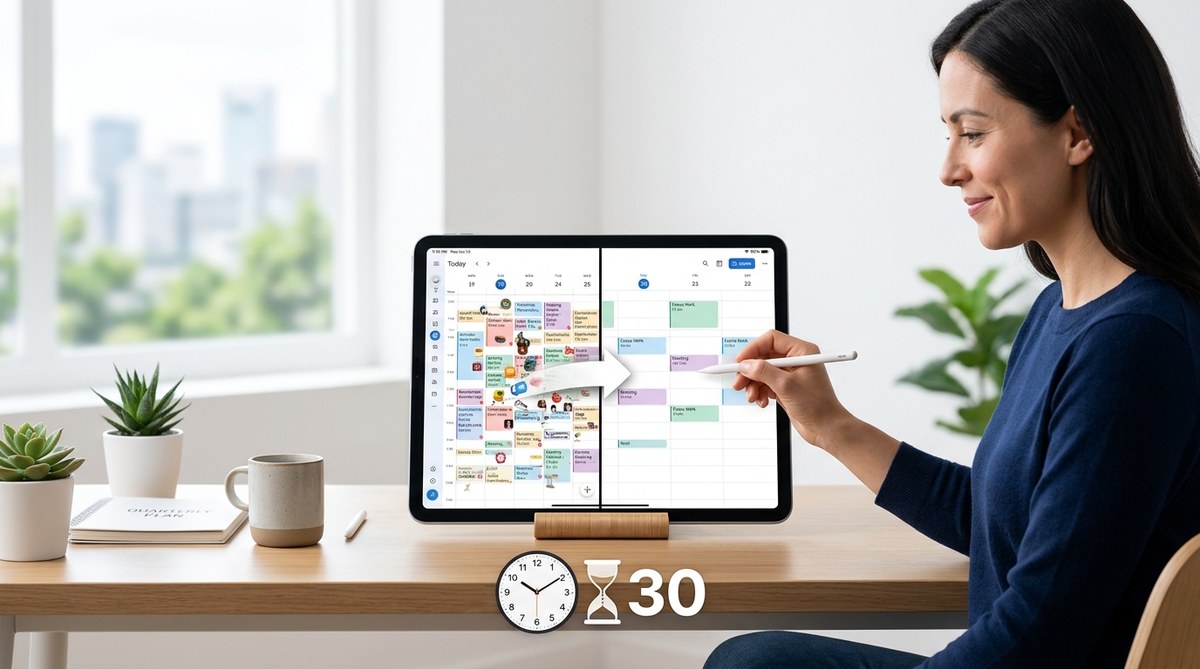
Your calendar is a minefield of notifications, back-to-back Zoom calls, and that recurring 30-minute block you keep meaning to delete. Every ping, every banner alert, every calendar reminder chips away at your focus. By the end of a quarter, you are running on fumes, not momentum. You do not need a week-long retreat in the woods. You need a structured, repeatable way to clear the noise and reset your schedule without losing your momentum. That is where a digital detox calendar comes in. It is a simple, time-boxed system that helps you audit your digital life, remove the clutter, and protect your focus for the next three months. And you can do the whole thing in 30 minutes.
A digital detox calendar is not about quitting your phone for a month. It is a 30-minute quarterly ritual where you audit your recurring meetings, unsubscribe from dead newsletters, delete unused apps, and schedule focus blocks. This practice clears mental clutter, reduces notification fatigue, and protects your deep work time. By doing it every quarter, you prevent digital creep from taking over your schedule again.
Why Your Calendar Needs a Reset Every Quarter
Digital clutter does not appear overnight. It accumulates. You join a new project, get added to a Slack channel, accept a meeting invite for a status update that never ends, and sign up for a webinar that sends five reminder emails. Over 90 days, these small additions stack up until your calendar looks like a Jackson Pollock painting.
The problem is that most professionals treat their calendar as a passive record of events. They rarely step back and ask, “Does this still serve me?” A quarterly digital detox calendar forces you to ask that question. It gives you permission to cancel, archive, and delete without guilt.
Think of it like spring cleaning for your schedule. You would not let your desk get buried under papers for a whole year. Why let your calendar get buried under digital noise?
The 30-Minute Digital Detox Calendar Process
Here is the exact process I use every quarter. Set a timer for 30 minutes and work through these four steps.
Step 1: Audit Your Recurring Meetings
Start with the biggest source of calendar clutter: recurring meetings. Open your calendar and scan every repeating event. Ask yourself three questions:
- Does this meeting still have a clear purpose?
- Do I need to attend, or can I just read the notes?
- Could this be an email or an async update?
Be ruthless. If a meeting has not produced a decision or a useful outcome in the last month, decline the series. You can always rejoin later if needed.
Step 2: Unsubscribe and Unfollow
Notifications are the silent killers of focus. Spend five minutes unsubscribing from email newsletters you never open, unfollowing social media accounts that do not add value, and turning off push notifications for apps that are not essential.
A good rule of thumb: if you have not opened a newsletter in the last two months, unsubscribe. If an app sends you more than three notifications a day and you rarely use it, delete it.
Step 3: Delete Unused Apps and Clear Digital Clutter
Your phone and desktop are extensions of your calendar. If your home screen is full of apps you never use, your brain treats them as visual noise. Spend five minutes deleting apps, clearing your camera roll of screenshots you do not need, and organizing your bookmarks.
This step is not about perfection. It is about reducing friction. The fewer distractions you see, the easier it is to stay focused.
Step 4: Schedule Your Focus Blocks
Now that you have cleared the clutter, fill the empty space with intention. Block out two to three hours of deep work time each day. Treat these blocks as non-negotiable. If someone tries to schedule a meeting during that time, your default answer should be no.
Use a tool like Minetime AI to automate this process. It can analyze your calendar, identify gaps, and suggest focus blocks that align with your energy levels.
Common Mistakes People Make with a Digital Detox Calendar
Even with a good plan, people slip up. Here are the most common mistakes and how to avoid them.
| Mistake | Why It Happens | How to Fix It |
|---|---|---|
| Skipping the audit | You feel too busy to review your calendar. | Set a recurring quarterly reminder. Treat it like a doctor’s appointment for your schedule. |
| Being too lenient | You keep meetings because you feel obligated. | Ask yourself: “If this meeting were canceled, would anyone notice?” If the answer is no, cancel it. |
| Forgetting to replace habits | You delete apps but do not add better alternatives. | Replace doomscrolling with a 10-minute walk or a podcast. Your brain needs a new default. |
| Doing it only once | You reset your calendar but never repeat the process. | Make it a quarterly habit. Put it on your calendar right now. |
What to Do When You Fall Off Track
Life happens. You will miss a quarter. You will get added to five new meetings in a week. You will accidentally re-subscribe to a newsletter. That is fine.
The goal of a digital detox calendar is not perfection. It is progress. If you miss a quarter, just do the reset the next month. Do not wait three more months. The sooner you clear the clutter, the sooner you get your focus back.
“The most productive people are not the ones who do the most. They are the ones who say no to the most things that do not matter.”
— Adapted from Greg McKeown, Essentialism
A Simple Checklist for Your Next Digital Detox
Print this list or save it somewhere you can find it. Run through it every quarter.
- [ ] Review all recurring meetings. Cancel or decline any that are not essential.
- [ ] Unsubscribe from five newsletters you never read.
- [ ] Delete three apps you have not used in the last month.
- [ ] Turn off push notifications for non-essential apps.
- [ ] Clear your camera roll of screenshots and duplicate photos.
- [ ] Schedule two hours of focus time for each day of the next week.
- [ ] Set a recurring quarterly reminder to do this again.
How to Build Long-Term Digital Habits
A single quarterly reset is powerful, but it is not enough on its own. You need daily and weekly habits to maintain the clarity you just created.
Start with a morning routine that does not involve your phone. Keep it in another room for the first 30 minutes of your day. Use that time to plan your priorities, not react to other people’s requests.
During the day, batch your notifications. Check email and Slack at set times, not every time a badge appears. This reduces the constant context switching that drains your mental energy.
At the end of each week, do a 10-minute mini-audit. Review your upcoming week, decline any meetings that do not align with your priorities, and adjust your focus blocks if needed. This weekly habit prevents the quarterly reset from being overwhelmed by weekly noise.
For more on building sustainable digital habits, read our guide on top digital habits to transform your workday and enhance focus.
Make Your Digital Detox Calendar Stick
The hardest part of any detox is not the first reset. It is the follow-through. Here are a few ways to make your digital detox calendar a lasting part of your routine.
Pair it with something you already do. Do your quarterly reset right after you update your quarterly goals or review your budget. That way, it becomes part of a natural rhythm.
Tell a colleague or friend. Accountability works. If you tell someone you are doing a calendar detox, you are more likely to actually do it.
Use automation to reduce the burden. Tools like Minetime AI can automatically suggest focus blocks, flag meeting conflicts, and even unsubscribe you from newsletters. The less manual work you have to do, the more likely you are to stick with the habit.
The Real Cost of Skipping a Digital Detox
If you skip your quarterly digital detox, the cost is not just a cluttered calendar. It is lost focus, wasted energy, and a slow erosion of your ability to do deep work.
Every unnecessary meeting, every notification, every unused app pulls a tiny piece of your attention away from what matters. Over time, those tiny pieces add up to hours of lost productivity each week. More importantly, they add up to a feeling of being busy without being effective.
A digital detox calendar is not a luxury. It is a maintenance task for your most valuable resource: your attention.
Your 30-Minute Digital Detox Calendar Template
Here is a ready-to-use template you can copy into your calendar right now.
Title: Quarterly Digital Detox
Duration: 30 minutes
Frequency: Every 3 months (set it for the first Monday of January, April, July, and October)
Agenda:
- 0:00 to 5:00: Review recurring meetings. Cancel or decline.
- 5:00 to 10:00: Unsubscribe from newsletters and turn off notifications.
- 10:00 to 15:00: Delete unused apps and clear digital clutter.
- 15:00 to 25:00: Schedule focus blocks for the next two weeks.
- 25:00 to 30:00: Set a reminder for next quarter’s detox.
That is it. No complicated spreadsheets. No expensive tools. Just a focused 30-minute block that pays dividends for the next 90 days.
Protect Your Focus Beyond the Calendar
A digital detox calendar is a powerful start, but it works best when combined with a broader strategy for managing your time and energy. If you want to go deeper, check out our guide on how to use AI to eliminate meeting overload and reclaim your calendar in 2026. It covers advanced techniques for automating your schedule and protecting your deep work time.
You can also explore smart strategies to prioritize tasks and maximize your workday in 2026 for a more complete approach to productivity.
Start Your Digital Detox Today
You do not need to wait for the next quarter to begin. Open your calendar right now. Spend 10 minutes canceling one recurring meeting, unsubscribing from two newsletters, and deleting one unused app. That is a small win. Do that every day for a week, and you will have already started your digital detox.
Then, when the next quarter rolls around, you will be ready for the full 30-minute reset. Your future self will thank you.
A clear calendar is a clear mind. And a clear mind is the best tool you have for doing your best work. So go ahead. Take the 30 minutes. Reset your schedule. And see how much lighter your work feels.